Personal Chrome Extension · Built with Claude Code

Avails

Share your availability with anyone, even when you don't share a calendar.

Chrome Extension // Vanilla JS // Manifest V3 // Claude Code 5.0 on the Chrome Web Store

Avails makes scheduling easier when you and the other person don't share a calendar system like Google or Outlook. The first version is deliberately simple and fully manual. It opens a lightweight UI right over whatever web calendar you already use, so you can scan your week and mark the blocks you actually want to offer for the thing you're trying to schedule.

It's manual on purpose, because you know things your calendar doesn't. Your calendar shows a gap at 2:30, but you know the meeting before it is across town and you'll still be in traffic. Flip it around: that meeting is at home, so a dentist appointment downtown right afterward is impossible, it has to go later in the day. A shared-calendar tool can't see travel time or what a block really means. You can, at a glance.

Someday I'd love this to be automatic, with AI that understands what each event actually is, what your days look like, where you want things to land before and after, and what needs travel time in between. For now, the point is to make the human version fast.
What it does

It streamlines that manual work in three ways:

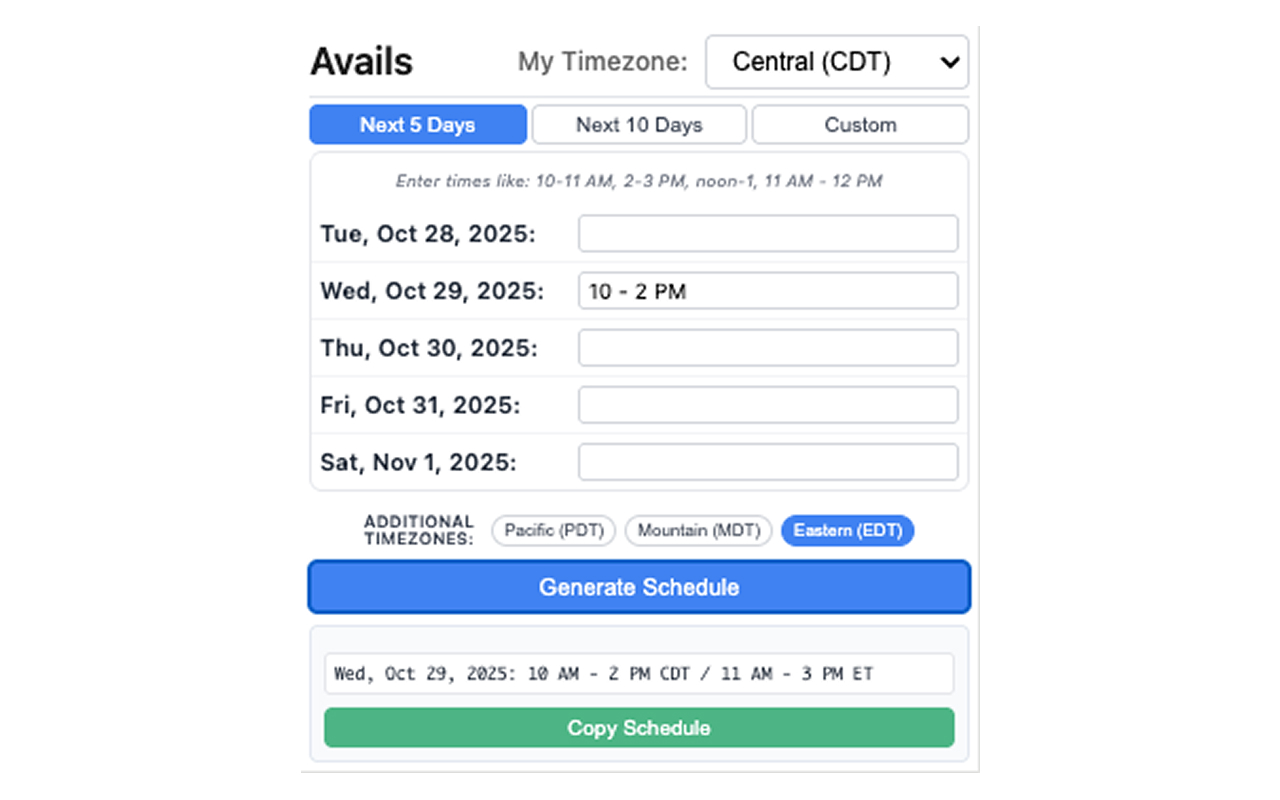
Avails generating a schedule that converts 10 AM to 2 PM Central into 11 AM to 3 PM Eastern, with a Copy Schedule button.
The whole point: type your time once, and Avails writes it out in every timezone you need. One generated line reads:

Wed, Oct 29, 2025: 10 AM – 2 PM CDT / 11 AM – 3 PM ET

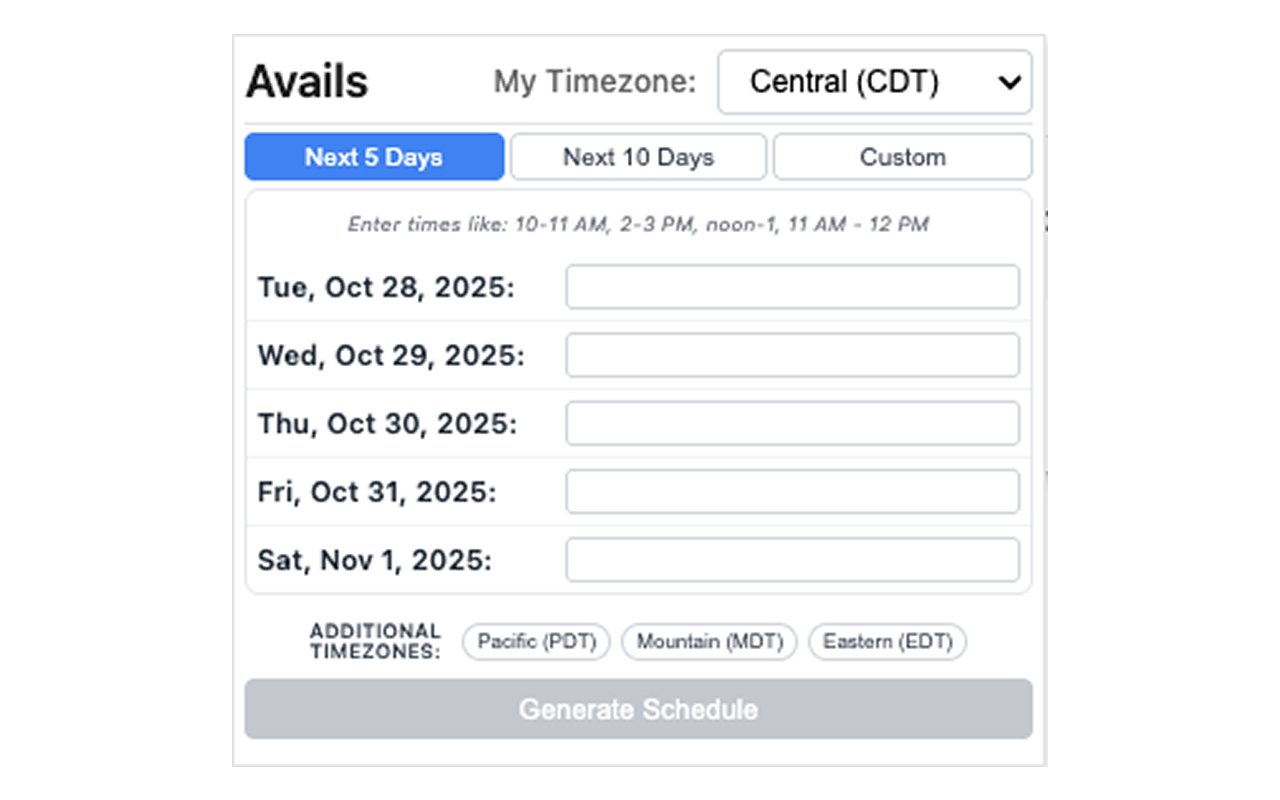
The Avails extension open, showing a timezone selector, Next 5 Days view, a row of dates to fill in, and additional timezone chips.
Set it up: pick your timezone, choose Next 5 Days, Next 10, or Custom, and add the timezones to convert into.
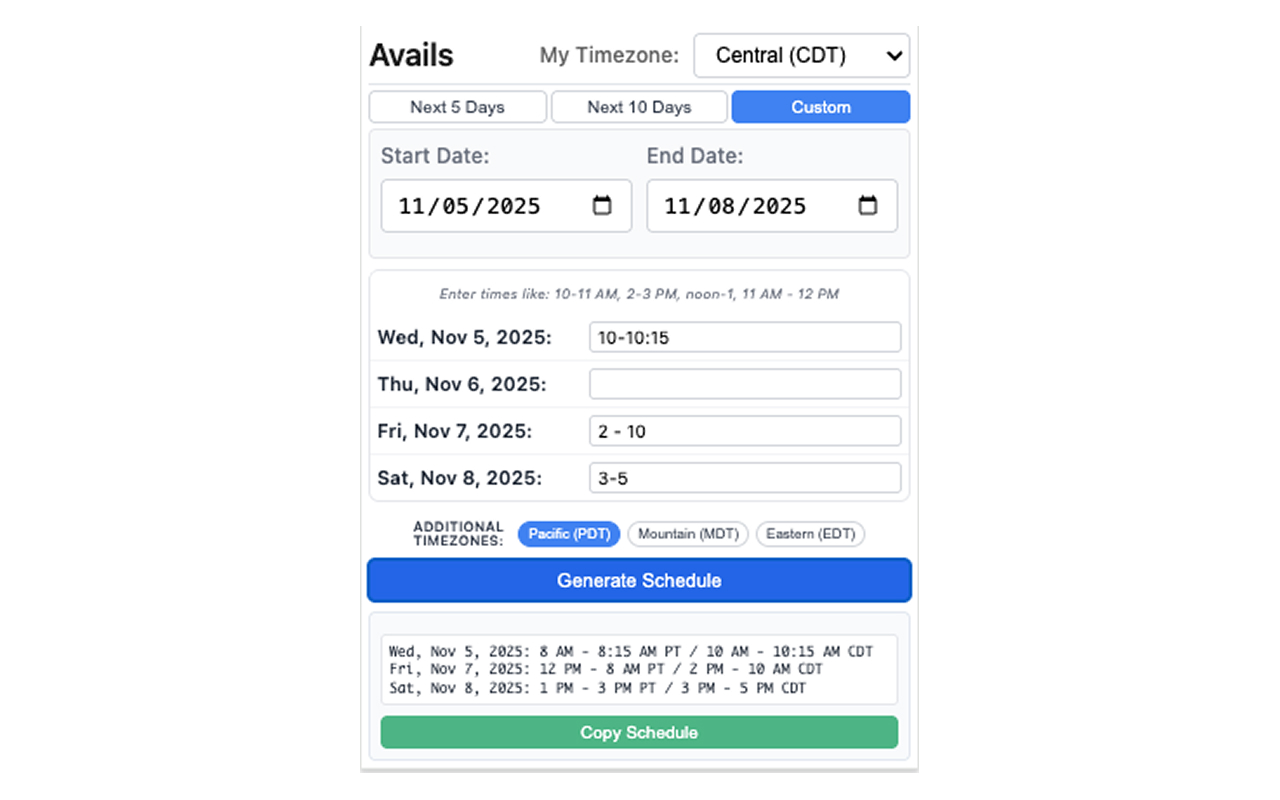
Avails showing a custom-date schedule converted across multiple timezones.
Custom dates too: the same conversion works for any set of dates, across as many timezones as you add.

How it's built

My standard path, from idea to the Web Store.

Built with vanilla JavaScript, Chrome Extensions Manifest V3, and the Chrome Side Panel API. No frameworks, no build step.

“I love this. It's simple, elegant, and exactly as advertised. Outline your availability and you get a nice, clean version of it to share.”

A five-star review on the Chrome Web Store.